
For example, social media is a highly visual space, and posts that are visually engaging and have a vibrant look tend to capture more attention than those without. For this reason, many users are trying out animated style visuals, which are images that look as if they are part of a cartoon, animation, or story.
Today, it is possible to create animated style visuals using tools such as an AI image generator . The tool can be used to create animated visuals without requiring drawing or illustration skills. For example, there are tools such as Dreamina that can be used to create animated visuals. The tool works in such a way that instead of drawing, one can simply describe the scene and style of image they want, and it will be created.
Let’s discuss more about how animated style visuals can be created to make social media posts more engaging.
Why animated style visuals are effective on social media
Animated style visuals are effective on social media because they tend to capture more attention than other types of visuals. Animated style visuals are visually engaging and have a dynamic personality despite being static images.
For creators and brands, this style is a good way to break the cycle of normal promotional graphics.
Animated style social media posts are good for:
- Creating story-based content on Instagram or TikTok
- Using character-based marketing for a brand
- Creating fun promotional announcements
- Creating educational content with illustrations to explain concepts
Because of the fun, story-based nature of this image style, it is more likely to capture the viewer’s eye and encourage them to interact with the content.
Turning social posts into mini visual stories
One of the best aspects of creating with an animated style is that it lends itself well to storytelling. Instead of showing an image or text-based explanation of a concept or product, it is possible to create an image with a character or scene that represents what is being promoted.
For example, a social media post about productivity might feature an animated character sitting at a digital desk with icons and other elements floating around them. Even without reading the text of the post, it is immediately clear what is meant by this image.
To create this kind of image, creators focus on:
- Creating interesting and expressive characters
- Creating interesting environments
- Using a consistent and bright color scheme
When all these pieces fall into place, it is as if the image has been plucked straight from an animated film rather than an ordinary marketing image.
Experimenting with creative illustration styles inspired by animated visuals
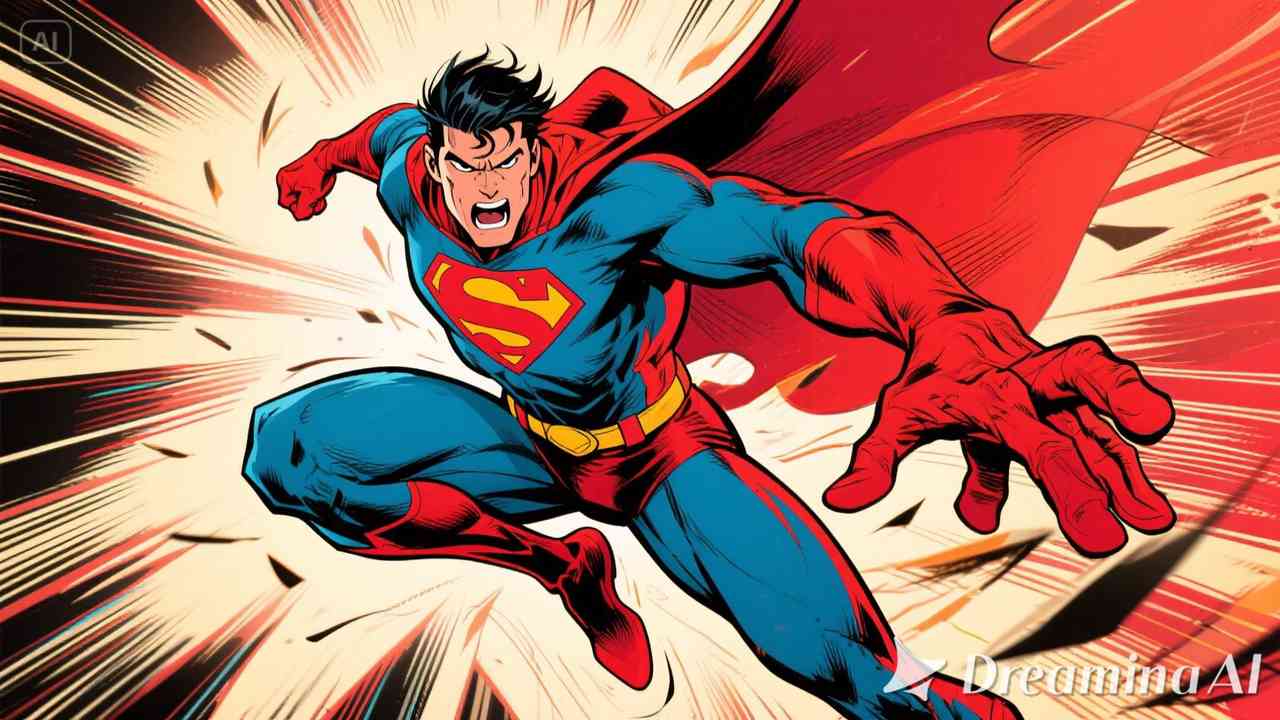
Animated visuals can be quite diverse in their style. Some can be similar to comic book style, while others can be similar to modern digital cartoons.
Tools inspired by Dreamina's AI art generator allow users to easily experiment with these styles. Instead of settling on one style of illustration, users can try out multiple styles and choose the one they think suits their brand best.
Some popular animated style visuals are:
- Pastel-colored cartoon scenes
- Bold comic book style
- Futuristic digital animation themes
- Minimal flat style animated characters
Experimenting with these styles can help users create social media visuals that are unique and do not look repetitive.
Designing visuals that match social media formats
Another important aspect of designing animated visuals is considering where this content is likely to be deployed.
For example:
- For Instagram posts, it is often best to use square-shaped visuals
- For Instagram stories and reels, it is often best to use vertical visuals
- Thumbnails or profile images may require a tighter composition
Designing this animated scene with these formats in mind also makes sure that the image blends well into the environment of this social media platform.
When this is done from the beginning, it makes the final image look neater and more suitable for this platform.
From imagination to illustration: creating animated visuals with Dreamina
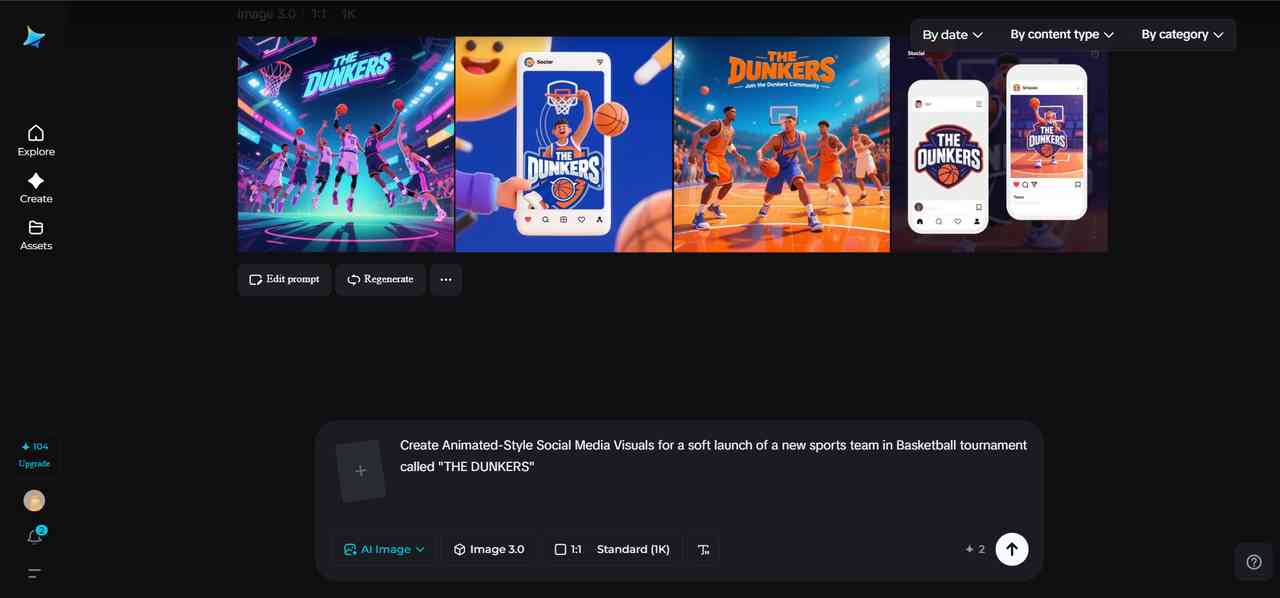
Creating animated style graphics is easier when it is done in a simple way. Dreamina offers a simple process that makes it easier to create vibrant graphics from ideas using text prompts and customizations.
Step 1: Write a comprehensive text prompt
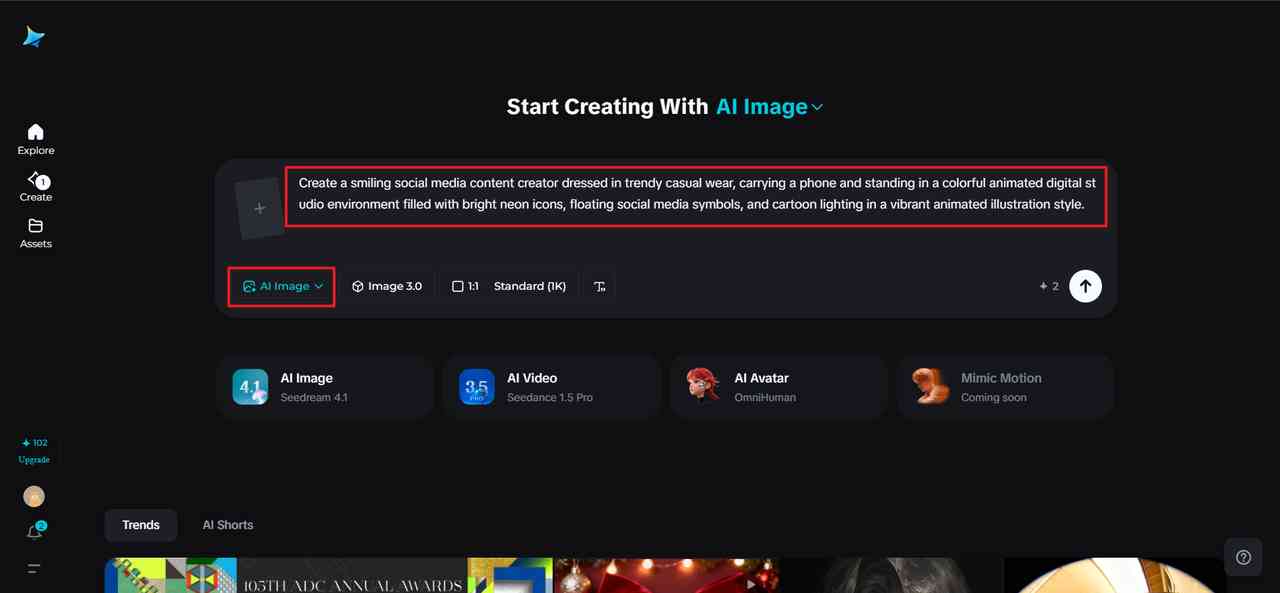
To start creating animated style graphics, you first need to go to Dreamina and open up the interface. Instead of choosing an image generation option, you can start to write a detailed text prompt that describes a human character dressed in the social media theme you are aiming to create in this image.
For example: Create a smiling social media content creator dressed in trendy casual wear, carrying a phone and standing in a colorful animated digital studio environment filled with bright neon icons, floating social media symbols, and cartoon lighting in a vibrant animated illustration style.
These parameters include character, setting, and animation-inspired aesthetics, which this prompt provides. With this information, Dreamina can create a captivating visual scene.
Step 2: Adjust parameters and create
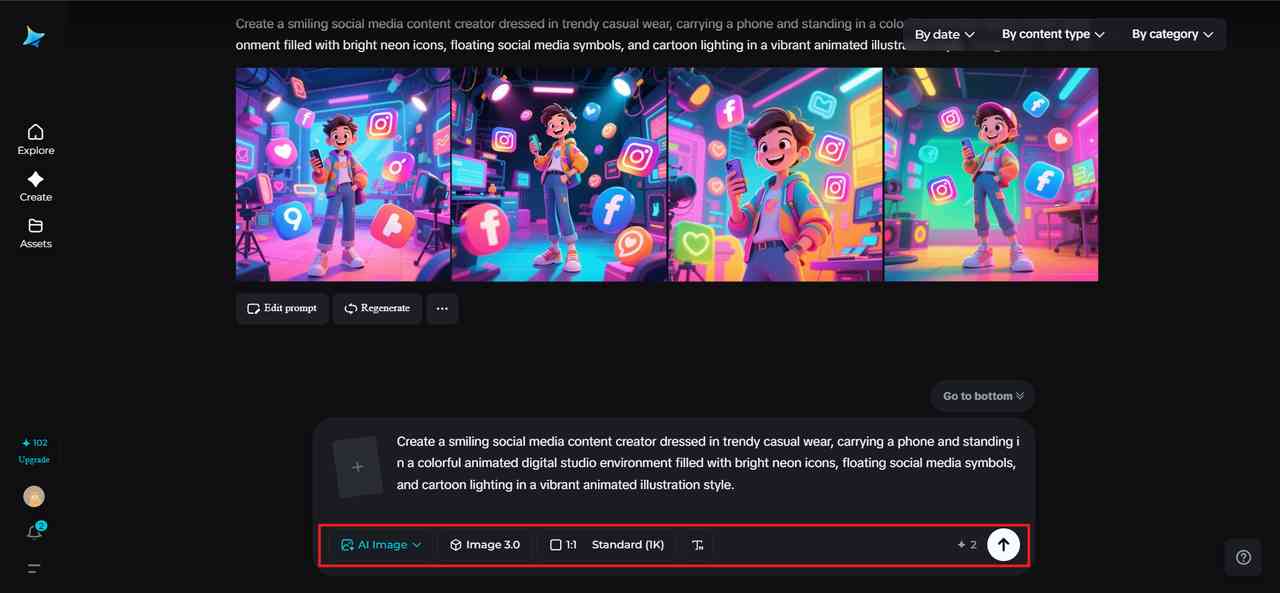
Next is to adjust the parameters to suit the generation of the image. Select a model that suits a stylized or illustration-based image.
Set the aspect ratio according to the required parameters of your social media platform. If you are creating content for Instagram, a square format is ideal. If you are creating stories or Instagram reels, a vertical format is ideal. Determine the image size according to the level of detail required in your image. A 1k resolution is ideal for a preview image, while a 2k resolution is ideal for a sharper image.
Once you have adjusted all the parameters, click on the generation icon of Dreamina to create an animated-inspired visual scene.
Step 3: Customize and save
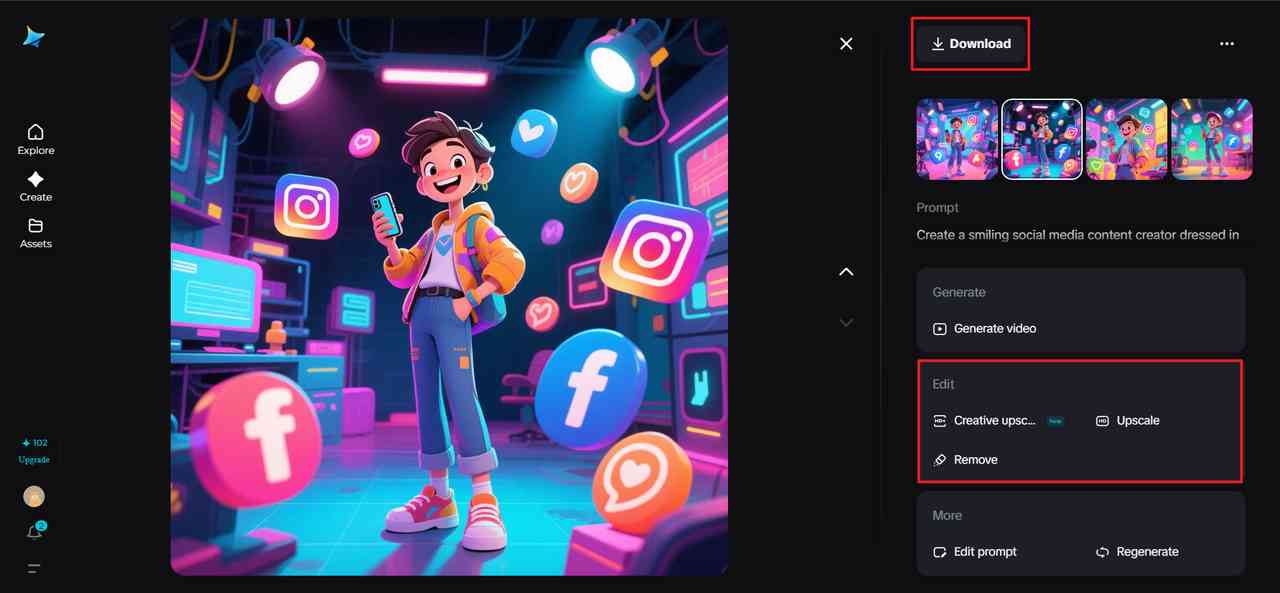
Once you have generated an image, you can customize it to suit your design preferences using Dreamina’s AI-based design tools. With these tools, you can edit specific areas of the design using the inpaint tool, increase background space using the expand tool, remove unwanted design objects, or retouch your images.
Once you are done with that, click on the Download icon to download the final visual. The image is now ready to be used as a social media post or a promotional image or even a creative storytelling image.
Extending animated visuals into video content
Once animated style visuals are created, they can be extended into video content as well. Social media videos are known to perform better than static images because they add another dimension to storytelling.
Using Dreamina's AI video generator , it is possible to create videos based on text input or reference images based on the animated scene created. For example, using a text input with details about an animated character presenting a product in a colorful digital space, it is possible to create a video version of the animated scene.
This approach is based on using the input prompt/image to create a video rather than using it to create an animated version of the scene. The end result is an engaging video content piece based on the original image concept.
Some of the types of content pieces created using this approach are:
- Promotional videos for social media
- Character-based marketing videos
- Creative storytelling content pieces for marketing campaigns
This approach to content creation, using video generation based on input prompts/images, can help content creators and marketers add more to their visual offerings.
Creating visuals that audiences enjoy sharing
Animated style social media graphics are most effective when they are fun and expressive. Instead of being promotional in nature, it is important to create social media graphics that are also representative of personality and creativity.
Designers usually try to incorporate:
- A vibrant and exciting color scheme
- Expressive characters that are able to convey emotions
- Simple yet neat compositions that are easy to comprehend
These are usually key factors that help in creating a better and more enjoyable experience for the end user of the social media visual.
Final Thoughts
Graphics such as those used in animations are also used to bring a sense of fun and storytelling to social media content. These images are used to make content on social media more interesting and engaging. Using Dreamina, creators are able to design such images using descriptive prompts. Rather than using complicated illustration techniques, creators are able to quickly turn ideas into beautiful animated images. As social media continues to focus on visual creativity, creators are using Dreamina to design content that is imaginative and engaging.
People are also reading: