
Lately, how we handle digital safety isn’t what it used to be. Once upon a time, protection meant drawing a line, inside that line, trust; beyond it, suspicion. Now think of scattered teams, apps floating online, gadgets everywhere, and good luck finding where the line should go.
Right now, trouble isn’t just from outside anymore. People inside can cause harm too. Then there are sneaky digital dangers that evolve fast. That idea? Zero Trust tackles it head-on. Automatic approval gets tossed out completely. Every person, every gadget must prove itself each time. Nothing slips through by default.
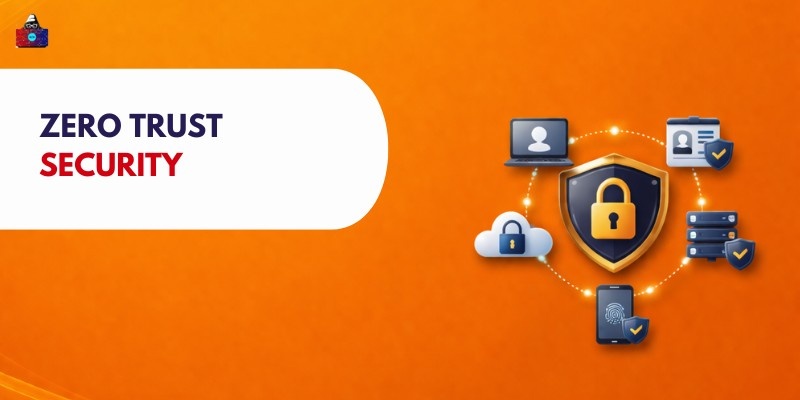
What Is Zero Trust Security
Trust nothing by default, even inside the network. Verify every user, device, and request each time they try to access resources. Assume threats exist both outside and within. Always check identities before granting entry. Protection grows stronger when access is limited and reconfirmed often
“Never trust, always verify.”
Trust isn’t automatic, inside or outside the perimeter. Each time someone tries to get in, checks happen first.
Key idea:
- Trust is not assumed
- Verification is required continuously
- Access is granted based on strict policies
Few people gain entry this way; access remains limited to those approved. Only clear permission opens the door to critical systems.
Why Zero Trust Security Is Important
In today’s digital world, systems have become harder to manage. Companies run on cloud platforms, letting staff connect from anywhere, while gadgets link up constantly, each opening new doors for threats.
Zero Trust Matters Because Risks Are Everywhere
- Traditional perimeter security is no longer effective.
- It is also very important to keep in mind blockchain security .
- Cyberattacks are becoming more sophisticated.
- Remote work increases exposure to threats.
- A single breach might drain budgets while shaking public trust. Companies often face steep costs just to respond. Loss of customer confidence can linger long after fixes are applied. Repairing a brand takes time few have. Some never fully recover from the fallout.
With threats constantly changing, trusting nothing at first helps keep information safer within companies.
Core Principles of Zero Trust
1. Never Trust, Always Verify
Every user and device must be verified before access is granted. Authentication is required at every step to ensure no one is trusted by default, even if they are inside the network.
2. Least Privilege Access
Users are given only the minimum permissions needed to perform their tasks. This reduces the risk of misuse, limits access to sensitive data, and helps prevent unauthorized actions or accidental changes.
3. Continuous Monitoring and Validation
Systems continuously monitor user activity, device status, and network behavior. Any unusual or suspicious activity is quickly detected, allowing immediate action to prevent security threats and unauthorized access.
4. Assume Breach Mindset
Organizations assume that attackers may already be inside the system. This approach helps design stronger defences, limits damage, and ensures faster detection and response to potential security incidents.
How Zero Trust Security Works
1. Identity Verification
Access stays locked until a person proves who they are through a password, fingerprint scan, or extra verification step. Systems stay safe because entry requires proof that matches approved users. Sensitive information opens only after checks confirm it is truly the right individual waiting at the door.
2. Device Security Checks
One by one, each device gets scanned, updates verified, malware hunted down, and rules matched. If it fails any check, access stays locked. Just the clean ones get through.
3. Network Segmentation
Built like separate zones, networks are split into chunks so entry stays blocked across areas. When a breach hits one piece, movement stalls elsewhere instead of spreading wide.
4. Access Control Policies
When someone tries to get in, their role checks first. Where they are matters just as much as what gadget they use. How they act inside the system gets watched, too. Only the tools needed for the job show up. Security stays tight without slowing things down.
Zero Trust Architecture
Zero Trust architecture is a set of technologies and strategies that enforce strict access control
1. Components of Zero Trust Architecture
Zero Trust architecture includes multiple layers working together to secure systems. These components verify users, protect devices, monitor networks, and secure data, ensuring access is controlled and continuously validated at every level.
2. Identity and Access Management (IAM)
IAM manages user identities and controls who can access specific resources. It ensures proper authentication and authorization, allowing only verified users to access systems based on their roles and permissions.
3. Endpoint Security
Endpoint security protects devices like laptops, smartphones, and tablets from threats. It ensures devices are secure, updated, and compliant before allowing them to connect to networks or access sensitive data.
4. Network Security
Network security monitors and controls network traffic. It prevents unauthorized access, detects suspicious activity, and ensures that communication between systems remains secure and protected.
5. Data Protection
Data protection ensures that sensitive information is encrypted and securely stored. It prevents unauthorized access, protects data during transfer and storage, and ensures the confidentiality and integrity of information.
Key Technologies Used in Zero Trust
Several technologies support the Zero Trust model.
1. Multi-Factor Authentication (MFA)
Starting with something familiar, passwords, it builds up through codes sent by text or scans of fingerprints. One step follows another, each check making entry harder for outsiders. When one piece slips, others hold firm. Security deepens without relying on just a single key. Even stolen logins fail to open the door fully.
2. Identity and access management
Who gets in, who does what, IAM handles identity, login steps, plus who’s allowed where. Through role-based rules, access tightens around tools and platforms, cutting loose entries. Security grows stronger when actions are tied to clear responsibilities. Systems stay locked to outsiders yet open for the right people, shaped by assigned duties.
3. Endpoint detection and response
Watching computers nonstop, EDR spots odd behavior while shutting down dangers fast. Laptops, servers, these endpoints stay safer because it blocks viruses, intrusions, maybe even spies poking around where they shouldn’t be.
4. Monitoring Security Alerts And System Activity
Security events get pulled together from different spots by SIEM. When something odd shows up, it flags it right away. Alerts pop up so teams can jump into action quickly. Looking back at incidents becomes easier because everything is tracked. Handling risks turns smoother since info comes from many angles.
5. Zero Trust Network Access
Finding its way into modern setups, ZTNA checks both user identity and device status prior to allowing entry. This works on the Satellite Internet Hidden from view, the internal network stays out of reach, limiting exposure. Access unfolds resource by resource, shaping a tighter defense across systems.
Benefits of Zero Trust Security
1. Stronger Security Posture
Starting fresh each time, trust vanishes until proven. Layers check everything, one after another. Protection grows when entry points tighten. Bad actors get stopped before reaching inside. Safety stays high because nothing slips through easily. Every attempt faces scrutiny, again and again.
2. Reduced Risk of Data Breaches
With tight controls on who gets in, plus constant checks, Zero Trust makes it harder for intruders to slip through. Because access is narrowed and confirmed often, stolen data becomes less likely, private details stay shielded, while harm from break-ins shrinks.
3. Improved Visibility and Control
From inside every login attempt to how gadgets talk online, visibility grows sharp. When odd moves show up, teams spot them faster. Control tightens around files, tools, apps, without assuming trust. Watching patterns closely means risks get caught earlier. Systems stay guarded not by guesswork but by constant checking.
4. Secure Remote Access
Starting from home or a cafe, workers get in safely thanks to Zero Trust. Because it checks who you are and whether your gadget is clean, access stays protected. This setup keeps networks guarded, even when people connect from outside. Instead of opening doors wide, it only lets verified users through.
5. Better Compliance
Fences around digital doors tighten when every login gets checked, each move watched. Watching closely means the rules about private files are followed. Security that questions everything turns out to fit well within expected lines. Staying alert becomes part of daily routines instead of a one-time fix. Proof of safety builds naturally through constant verification rather than assumptions.
Challenges of Implementing Zero Trust
1. Complex Implementation
Getting Zero Trust right means starting with a clear plan, then rebuilding how security works from the ground up while connecting different technologies. One step leads to another, systems need upgrades, rules have to be spelt out clearly, and team efforts need to be lined up carefully, so progress often feels slow, tangled in technical complexity.
2. Integration with Legacy Systems
Finding a fit for ageing infrastructure with today's Zero Trust models isn’t always straightforward. When these older platforms are brought into the mix, adjustments often become necessary, sometimes full swaps, to make things work together. Such shifts tend to pile on layers of difficulty while shaking up how teams normally get their tasks done.
3. Cost and resource needs
Starting fresh might mean buying new software, hardware, plus hiring people who know what they’re doing. Workers need lessons, old tech must catch up, safeguards demand constant attention, each step adds expense, hitting smaller teams harder than big players.
4. User Experience Concerns
Frustration builds when logins and security steps happen too often. Because of this, getting into systems takes longer than needed. Workers might feel slowed down. When that happens, their work pace drops unless safeguards are set up thoughtfully. Ease of use matters just as much.
Use Cases of Zero Trust Security
1. Remote Workforce Security
- Secures employees working from home or remote locations
- Verifies user identity before granting access
- Ensures only trusted devices can connect
- Prevents unauthorized access from external networks
- Supports safe access to company resources
2. Cloud Applications Protection
- Protects applications hosted on cloud platforms
- Verifies users before accessing cloud services
- Prevents unauthorized data access
- Secures data stored and processed in the cloud
- Ensures safe communication between users and applications
3. Enterprise Network Security
- Protects large organizational networks from threats
- Limits access between different network segments
- Monitors internal and external activities
- Prevents the lateral movement of attackers
- Improves overall network control and visibility
4. Protecting Sensitive Data
- Ensures only authorized users can access critical data
- Uses encryption to secure information
- Applies strict access control policies
- Prevents data leaks and unauthorized sharing
- Maintains confidentiality and data integrity
Future of Zero Trust Security
1. AI-Driven Security Systems
- Uses intelligent systems to analyze large amounts of security data
- Detects unusual behavior and potential threats quickly
- Improves decision-making with real-time insights
- Reduces response time during security incidents
- Continuously learns and adapts to new attack patterns
2. Automation in Access Control
- Automatically manages user access and permissions
- Reduces human errors in security decisions
- Adjusts access based on user role, behavior, and risk level
- Speeds up authentication and authorization processes
- Improves consistency in applying security policies
3. Expansion in Cloud Environments
- Supports security for cloud-based applications and services
- Protects users accessing systems from different locations
- Secures distributed networks and remote work environments
- Ensures safe data storage and access in the cloud
- Becomes essential as organizations move to cloud infrastructure
4. Integration with Advanced Cybersecurity Tools
- Combines Zero Trust with tools like monitoring and threat detection systems
- Improves overall visibility across networks and devices
- Enables faster identification and response to threats
- Strengthens layered security across systems
- Enhances protection against modern cyber attacks
Conclusion
Zero Trust Security represents a fundamental shift in how organizations approach cybersecurity in today’s digital environment. Traditional security models relied on the idea that users and devices inside a network could be trusted. However, with the rise of remote work, cloud computing, and increasing cyber threats, this approach is no longer effective.
Zero Trust changes this mindset by removing all assumptions of trust. Every user, device, and access request must be verified before permission is granted. This continuous verification process helps organizations reduce vulnerabilities and protect sensitive data more effectively. By applying principles such as least privilege access, continuous monitoring, and strict identity verification, Zero Trust ensures that even if a breach occurs, its impact is limited. Attackers cannot easily move across systems, and unauthorized access becomes much harder.
People are also reading: