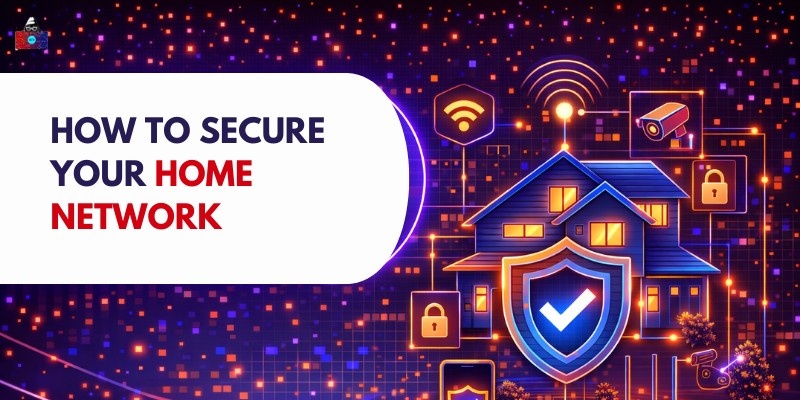

A single router links phones, computers, televisions that think, game machines, plus gadgets around the house to the web. Because everything talks at once, tasks get easier, yet weak spots also open up. If protection slips, strangers might access private files, watch online movies, install harmful software, or take control of automated lights and locks.
Everyday folks now need strong home networks. Because more people work from home, bank online, use internet-connected gadgets, or store files in the cloud, secure Wi-Fi matters. Devices behave safely when updates happen regularly. Privacy remains intact if settings are adjusted from time to time. Risks drop sharply once default names disappear. Safety grows stronger after smart habits take root.
What Is a Home Network?
A home network is a system of connected devices that communicate with each other and the internet through a router or modem. It typically includes:
- Wi-Fi router
- Computers and laptops
- Smartphones and tablets
- Smart TVs and streaming devices
- IoT devices (smart lights, cameras, speakers, thermostats)
- Gaming consoles
The router acts as the central hub, directing internet traffic between devices and external servers. Because all devices connect through the router, it becomes the primary point that must be secured.
Why Securing Your Home Network Matters
1. Protecting Personal Data
Information such as login codes, bank records, messages, and private documents flows through your household's internet system. If that setup gets breached, hackers might access what's inside.
2. Preventing Unauthorized Access
A loose setup might let nearby people slip into your network, snooping around or piggybacking online where they shouldn’t be. Someone close by could take advantage if protections are too soft, riding your connection for shady tasks while you’re none the wiser.
3. Avoiding Malware and Cyber Attacks
A hacker might slip malicious software onto your device when you connect to an open network. Because there is no protection, threats such as ransomware can spread quickly between machines. One weak link lets scams spread, often without warning.
4. Protecting Smart Home Devices
A single flaw might open the door. Once inside, hackers watch quietly or shut things down without warning, sometimes turning gadgets into silent helpers for bigger attacks elsewhere.
Basic Steps to Secure Your Home Network
1. Change Default Router Username and Password
Many routers ship with standard login credentials such as “admin/admin.” Because hackers are aware of these factory settings, they can often gain access easily.
- Log in to router settings
- Change the admin username and password
- Use a strong, unique password
2. Use Strong Wi-Fi Passwords
Someone can get in if the Wi-Fi password isn’t strong. Weak keys open doors they shouldn’t.
Best practices:
- Use at least 12–16 characters
- Include letters, numbers, and symbols
- Avoid labels or familiar terms
3. Enable Network Encryption
As it flies through the air, data is securely locked up on Wi-Fi. Signals remain hidden as they move across wireless paths.
Use:
- WPA3 (best option if available)
- WPA2 (acceptable fallback)
Steer clear of WEP; it's old and weak. Security gaps make it a poor choice now.
4. Update Router Firmware Regularly
Router manufacturers release firmware updates to fix vulnerabilities.
- Check router settings for updates
- Enable automatic updates if available
5. Hide Your Wi-Fi Network (SSID)
A hidden network name won’t show up on most devices scanning nearby. Though determined intruders can still find it, the barrier slows down random attempts.
Advanced Home Network Security Tips
1. Enable Firewall Protection
Fences are often included in most router boxes. Firewalls just hide behind their settings, waiting.
- Ensure the router firewall is enabled
- Use device-level firewalls on computers
Fences block odd signals while keeping out uninvited guests.
2. Use a Guest Network
In addition to your main network, set up another network just for guests. This keeps their devices away from your personal systems.
Benefits:
- Security stays strong on the main network because safeguards are always active
- Limits access to personal devices
- Stopping the unintended sharing of harmful software
3. Disable Remote Management
From afar, you can tweak your router's settings through remote management. Only keep it active if you truly need that reach. Otherwise, turn the feature off.
4. Monitor Connected Devices
Besides your router, spot any unfamiliar gadgets now and then. Occasionally glance at the list of nearby active connections.
- Remove unknown devices
- Call familiar gadgets by new names to keep tabs more easily
5. Use VPN for Extra Security
When you connect online, a virtual private network wraps your data in encryption. It shields personal details, particularly when using shared Wi-Fi spots. Though not required inside your own house, protection still slips into place quietly. That quiet guard helps keep prying eyes away without making noise.
Securing Smart Home and IoT Devices
1. Risks of IoT Devices
IoT devices often have weak security settings, outdated firmware, and limited protection. Hackers can exploit these vulnerabilities to access networks, steal data, or control devices without user knowledge.
2. Change Default Passwords
Default passwords are easy to guess and widely known. Changing them to strong, unique passwords helps prevent unauthorized access and protects smart home devices from common hacking attempts.
3. Regular Updates
Updating device firmware and applications fixes security vulnerabilities and improves performance. Regular updates ensure that known vulnerabilities are patched, reducing the risk of cyberattacks and unauthorised access.
4. Use a Separate Network
Connecting IoT devices to a separate or guest network limits their access to the main devices. This reduces potential damage if a device is compromised and improves overall network security.
Best Tools for Home Network Security
1. Antivirus Software
Antivirus software protects devices from harmful programs like viruses, malware, and spyware.
How it helps:
- Scans files and applications for threats
- Detects suspicious behaviour in real time
- Removes or quarantines malicious software
- Protects against phishing and unsafe downloads
Why it’s important:
- Acts as the first line of defence
- Keeps personal data safe
- Prevents system damage and slowdowns
2. Network Monitoring Apps
Network monitoring tools help you track all devices connected to your network and observe data activity.
What they do:
- Show all connected devices
- Detect unknown or suspicious devices
- Monitor internet usage
- Alert users about unusual activity
Examples:
- Fing
- GlassWire
- Router mobile apps
Why it’s useful:
- Helps identify unauthorized access
- Improves visibility and control over your network
- Prevents hidden threats from going unnoticed
3. Router Security Features
Modern routers include built-in security features to protect your entire network.
Key features:
- Intrusion detection systems to block threats
- Parental controls to manage internet usage
- Automatic firmware updates for security patches
- Device monitoring for connected devices
Important considerations:
- Older routers may lack strong security
- Outdated firmware can create vulnerabilities
- Upgrading routers improves protection
Conclusion
Home networks need protection now more than ever. Guarding private info stops hackers in their tracks. Change factory passwords first thing. Encryption turns data into puzzles only authorized users can solve. Outdated firmware opens doors, updating closes them quietly. Watch connected gadgets like a hawk; odd behaviour might signal trouble. Each small step adds up without needing expert skills. Home networks face greater risks now because of smart devices and remote work. Using separate guest access helps keep things safer, along with tools that block unwanted entry. A virtual private network adds another layer of protection, quietly guarding data. Staying ahead means setting up defenses before problems start.
Just tiny upgrades in protection might change everything. Because when the system holds strong, people online stay shielded, calm follows naturally.
People are also reading: