
Passwords have been the main method of securing online accounts for decades. From email accounts to banking apps and business systems, passwords have been used to verify identity and allow access. However, passwords have also become one of the weakest points in cybersecurity. Many users create weak passwords, reuse the same password across multiple platforms, or frequently forget them. This creates security risks and causes inconvenience.
What Is Passwordless Authentication
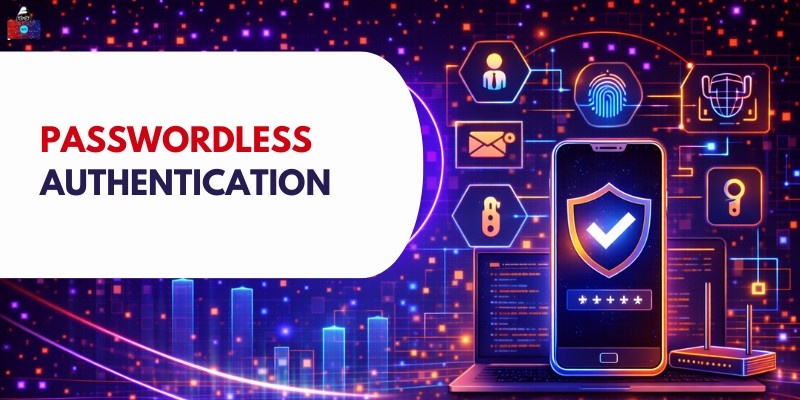
Accessing accounts gets easier when there is no need to type a password. Fingerprint scans step in place of traditional logins, offering another way through. Face recognition works similarly, identifying you by how you look. One-time codes arrive separately, often via message, adding a layer that changes each time. Trusted devices can also act as keys, unlocking entry just by being nearby. Security stays strong even though typing nothing happens at all. Starting differently, people have to recall a secret word they made earlier. This code gets checked against one saved inside the machine. When both versions line up just right, entry follows without delay.
Instead of passwords, verification happens through traits you possess, own, or get. This method skips traditional login steps entirely. Identity checks rely on biometrics, devices, or one-time codes delivered securely. Authentication becomes seamless when tied to presence rather than recall. Something inherent, held, or sent confirms who someone is without typing a single character. The system trusts cues rooted in uniqueness, location, or real-time delivery.
These include:
- A person’s own body helps prove who they are - fingerprint scans do this, along with facial features noticed by a camera. What you look like becomes your key
- A person might carry one of these - maybe a phone that fits in their pocket, a small gadget they plug in, or software that generates codes. Each works by being physically present when needed
- A code arriving by email or text, maybe when logging in. Received out of the blue, just once, for checking who you are. Shows up on your phone or inbox, only for that moment. Sent quietly behind the scenes, not saved anywhere. Pops into view when needed, then disappears fast
Without passwords, there is nothing to forget or store. Identity gets verified through distinct, protected elements nearly impossible to copy or take.
Types of Passwordless Authentication
1. Biometric Authentication
Fingers, faces, or voices help confirm who someone is. Each person carries traits no one else quite matches.
a. Fingerprint
- Fingerprints get scanned by a sensor that checks if they match. While phones often have this feature, many laptops use it too.
- Faster than most, hitting the mark every time while locking things down tight.
b. Face recognition
- Starting with a glance, face recognition captures details through the camera. From there, it compares those traits against information already saved. Phones often rely on this method. Security setups use it too, quietly working behind access points.
c. Iris scan
- Iris scanning analyzes patterns in the colored part of the eye. It provides very high accuracy and is used in high-security environments.
Biometric authentication is one of the most secure login methods because biometric traits cannot be easily copied.
2. One-Time Passwords OTP
A fresh code shows up each time you sign in. It vanishes fast - seconds matter here.
a. Email OTP
A message pops into the inbox, dropped by the system without warning. After that moment, access opens when the digits match what was sent.
b. SMS OTP
From the start, a message arrives on the person’s phone via text. This step shows they can reach the number associated with the account.
c. App-based codes
Authenticator apps generate secure codes that refresh every few seconds. These apps work without internet and provide strong security.
OTP login is widely used because it is simple and effective.
3. Magic Links
Magic links allow users to log in by clicking a secure link sent to their email.
a. Log in via email link
The system sends a unique login link to the user's email. Clicking the link verifies identity and logs the user in.
b. Time-limited access links
Magic links expire after a short time. This prevents unauthorized access.
Magic links eliminate the need to enter passwords.
4. Security Keys and Tokens
Security keys and tokens are physical or digital tools used for authentication.
a. Hardware keys
- Hardware keys are small devices that connect to computers or mobile devices. They verify identity using secure encryption. These keys provide very strong protection.
b. Authenticator apps
- Authenticator apps generate secure login approvals or cryptographic verification.
Folks rely on them when logging in safely. These tools pop up often where security matters most.
5. Push Notifications
- A tap on the phone confirms logins through alerts sent straight to your pocket. From there, entry waits only for that single yes.
-
Approve login from a mobile device
- When the user attempts to log in, a notification appears on their phone. The user taps "approve" to confirm their identity.
This method is convenient and secure.
How Passwordless Authentication Works
1. User identity verification process
If someone tries to sign in, the system looks at how they show who they are - maybe through a fingerprint scan, a security key, or approval from a known gadget. Proof must come by way of methods already allowed.
When checking access, the system looks at encrypted keys rather than passwords. Biometrics might match a stored sample instead. A safe code could also be what it confirms. What matters is that it skips typed words completely.
2. Use of tokens, biometrics, or devices
Passwordless systems use different technologies, such as:
- Biometric sensors for fingerprint or face recognition
- Cryptographic tokens stored on trusted devices
- Authenticator apps that generate secure login codes
- Hardware security keys
These methods confirm identity using secure encryption and device verification.
3. Login flow step by step
The typical login process works as follows:
- The user enters their username, email, or phone number
- The system sends a login request to the registered device or authentication method
- The user confirms identity using fingerprint, face scan, or secure code
- The system verifies the credentials
- Access is granted if verification is successful
This process is fast and secure.
4. Authentication vs authorization
- One comes before the other when checking access. What matters is who gets in, not just how they log in. Steps unfold separately even if they seem linked at first glance.
- Who you are gets checked first through authentication. Verification happens when details match what the system expects.
- Once someone proves who they are, authorization decides what parts of the system they can reach. Access depends on these rules being checked right after login success.
- Verification happens without passwords. After that, access depends on set rules. Permissions follow once who you are is confirmed.
Benefits of Passwordless Authentication
1. Stronger security
Someone might crack your password, steal it, or accidentally spill it. Using safer ways to prove who you are means passwords do not have to exist at all. Fingerprints or face scans plus hard-to-copy digital keys make breaking in extremely tough.
2. Reduced phishing attacks
Tricking people into giving up their login details is the core of phishing. When there are no passwords to steal, these scams lose most of their punch. Fingerprints stay safe because hackers find them tough to grab. Getting into protected gadgets isn’t something crooks pull off without struggle.
3. Better user experience
With fewer passwords to recall, logging in feels easier. Because the process takes less effort, access happens faster. Better moods follow when things run more smoothly.
4. Faster login
Logging in without a password takes less time than entering one. A quick scan of your finger or face gets you in fast.
5. Lower IT support costs
Most companies pour time and money into handling forgotten passwords. Without those, help desks see fewer tickets. Costs drop when logging in skips passcodes entirely.
6. No password resets
Now there is no need to reset passwords. That means less waiting for people using systems and fewer tasks for help staff.
Passwordless Authentication vs Traditional Passwords
1. Security comparison
Folks often lose passwords - someone might steal them, crack them through luck, or find they’ve been reused elsewhere. Instead of typing a password, going without one relies on strong encryption paired with fingerprint or face recognition.
Fences stand taller here, built that way on purpose.
2. User convenience
Fumbling through memory just to recall a code. Logging in without one feels like finding a shortcut you didn’t know existed.
Fingerprints unlock access just as well as a phone you already use. What matters is recognition by the system through either method.
3. Risk factors
Someone might give away a password. Or it could get taken without warning. Getting rid of passwords lowers that chance. Fewer secrets to leak means less trouble later.
Fingerprints or built-in device locks boost protection. Hardware tokens, along with body-based checks, tighten access control. Security steps like these stand stronger than passwords alone.
4. Maintenance and cost
Over time, maintaining passwords demands tools and backup. Getting rid of them gradually reduces upkeep work.
Is Passwordless Authentication Safe
1. Security strengths
- It eliminates password-related risks such as phishing and password reuse.
- Biometric authentication and cryptographic verification provide strong protection.
2. Potential risks
- Device theft or lack of backup access can create problems.
- However, proper security measures reduce these risks.
3. Best practices for safe use
Users should:
- Use trusted devices
- Enable backup authentication methods
- Protect their devices with screen locks
- Avoid sharing devices
These practices improve security.
Future of Passwordless Authentication
1. Adoption in businesses
- Fewer firms now rely on passwords, opting for simpler logins that protect data while reducing help requests. Some shift away from codes entirely, finding ways to keep systems safe without long strings of characters. Others notice fewer tickets come in once they drop traditional access steps.
- Fueled by steady momentum, it keeps moving forward. Still gaining ground each day without slowing down.
2. Role in cybersecurity
- Fewer breaks happen when logins skip passwords. Security gets stronger without them around.
- Stronger defenses emerge across digital systems.
3. Passkeys and FIDO standards
- A secret lives inside your phone or laptop, guarding access. Instead of typing a password, it speaks for you through math. This key never leaves the device, locked in a safe thieves can’t reach. Protocols built by FIDO make sure every handshake is unique. Trust forms between the machine and service without words exchanged. Security grows quiet, invisible, part of how things just work.
- Security comes first, yet ease stays close behind. A lock feels tight while access remains smooth.
4. AI and biometric evolution
Fingerprints and faces now unlock things faster than before. Thanks to smarter software, logging in without passwords feels less risky these days.
Conclusion
Few people still realize how simple signing in can be without passwords. Identity checks are done using fingerprints or facial scans instead of typed passwords. A phone already owned does part of the work when access is needed. Security strengthens because stolen credentials lose their effectiveness here. Logging in feels smoother since there is nothing to remember. Codes sent once help confirm your identity safely. Many find this shift easier than expected after trying it.
Some businesses have started relying on passwordless login systems. Since tech keeps evolving, others will likely follow over time. One step beyond old methods, skipping passwords makes logging in safer by removing weak links. Future protection relies on methods such as fingerprints or trusted devices.
People are also reading: