
Ransomware has become one of the most dangerous cyber threats in the modern digital world. From individuals to large organizations, no one is completely safe from these attacks. Cybercriminals use ransomware to lock systems or encrypt files and then demand payment to restore access. Viruses have a long history when it comes to affecting your systems.
With the rapid growth of internet usage, cloud storage, and remote work, ransomware attacks have increased significantly. These attacks can cause serious financial loss, data theft, and operational disruption. Understanding ransomware, how it works, and how to prevent it is essential for protecting personal and business data.
What Is Ransomware
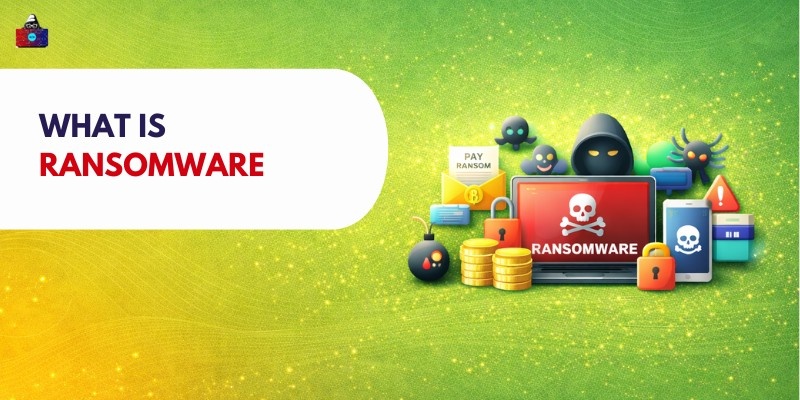
Ransomware is a type of malicious software that is particularly designed to block access to a computer system or encrypt important files until a payment is made to the attacker. It is considered one of the most dangerous forms of cyber threats because it directly targets a user’s privacy and data protection . In simple terms, you can say that ransomware acts like digital kidnapping. Cybercriminals take control of your files or entire system and then demand a ransom in exchange for restoring access. This payment is usually requested in cryptocurrency, making it harder to trace the attackers.
Ransomware typically works by encrypting files so that they cannot be opened without a special decryption key. In some cases, it may completely lock users out of their devices. After the attack, a ransom message appears on the screen with instructions on how to pay.
Key characteristics of ransomware include:
- Locking or encrypting files
- Displaying a ransom note with payment instructions
- Demanding payment within a deadline
- Threatening to delete or leak data if payment is not made
Ransomware is especially harmful because it can cause financial losses, disrupt operations, and lead to permanent data loss. This makes it a serious concern for individuals, businesses, and organizations worldwide.
How Ransomware Works
1. Infection Methods
Ransomware first needs a way to enter your device. This usually happens through user interaction or system weaknesses.
Process:
- A user receives a phishing email or downloads unsafe files due to weak secure coding practices
- The attachment (like a PDF or ZIP file) is opened, or a malicious link is clicked
- In other cases, the user downloads fake or cracked software from unsafe websites
- If the system has outdated software, attackers exploit security vulnerabilities
- The ransomware file silently installs itself in the background
2. Encryption or Locking Process
Once inside the system, ransomware begins its main operation.
Process:
- The malware scans the system for important files (documents, images, databases)
- It may also connect to a remote server controlled by attackers
- Files are encrypted using strong encryption algorithms
- In some cases, the entire system is locked (locker ransomware)
- File extensions may change, making them unusable
3. Ransom Demand
After locking the data, attackers reveal themselves.
Process:
- A ransom note appears on the screen
- It explains that files are encrypted or the system is locked
- Instructions are provided to make a payment
- Payment is usually requested in cryptocurrency like Bitcoin
- A deadline may be given to create urgency
- Threats such as permanent deletion or data leaks may be included
4. Payment and Recovery
This is the final stage, where victims decide what to do.
Process:
- The victim may choose to pay the ransom
- If paid, attackers might send a decryption key
- The key may or may not work properly
- In many cases, attackers disappear after receiving payment
- Victims who have backups can restore their data without paying
Types of Ransomware
Ransomware comes in different forms based on how it attacks systems.
1. Crypto Ransomware
Crypto ransomware encrypts files and sensitive data using strong algorithms, making them inaccessible. It is the most common type and requires victims to obtain a unique decryption key from attackers. Uses the advance encryption to lock the files
2. Locker Ransomware
Locker ransomware locks users out of their devices or operating systems, preventing access to applications and files. It restricts system usage but usually does not encrypt data stored inside.
3. Scareware
Scareware displays fake virus alerts or warnings to trick users into paying. It creates panic but typically does not encrypt files, relying instead on psychological pressure and deception.
4. Ransomware-as-a-Service (RaaS)
Ransomware-as-a-Service allows cybercriminals to rent or purchase ransomware tools. Even non-technical attackers can launch attacks, leading to a rapid increase in ransomware incidents worldwide across different industries.
Common Examples of Ransomware
1. WannaCry
WannaCry was a major ransomware attack in 2017 that spread rapidly across the globe. It exploited a Windows vulnerability called EternalBlue, infecting thousands of systems. It disrupted hospitals, businesses, and government operations, highlighting the importance of timely software updates and cybersecurity practices.
2. NotPetya
NotPetya appeared to be ransomware but actually caused irreversible data destruction. It targeted large organizations, especially in Ukraine, and spread quickly through network systems. Unlike typical ransomware, it offered no real recovery option, causing massive financial losses and operational disruptions worldwide.
3. CryptoLocker
CryptoLocker was one of the earliest and most influential ransomware attacks. It used strong encryption to lock user files and demanded payment for decryption. It mainly spread via email attachments and botnets, laying the foundation for many modern ransomware attacks.
4. Locky
Locky ransomware spreads through phishing emails with malicious attachments disguised as invoices or documents. Once opened, it encrypted files and demanded ransom payments. It affected many organizations worldwide and became one of the most widespread ransomware threats during its peak period.
How Ransomware Spreads
1. Email Attachments
Ransomware commonly spreads through phishing emails containing malicious attachments disguised as invoices, documents, or links. Phishing attacks target users with weak multi-factor authentication protection. When users open these files or click links, malware installs silently, giving attackers access to systems and enabling ransomware deployment without immediate detection.
2. Infected Websites
Compromised or malicious websites can spread ransomware through drive-by downloads. Simply visiting such sites may trigger automatic downloads without user knowledge. These attacks often exploit browser weaknesses, making it important to use secure browsers and avoid untrusted websites.
3. Software Vulnerabilities
Outdated or unpatched software contains security flaws that attackers can exploit to install ransomware. Cybercriminals scan systems for vulnerabilities and use automated tools to inject malware, making regular updates and patch management critical for preventing such attacks.
4. Remote Desktop Attacks
Attackers target systems using Remote Desktop Protocol by guessing weak passwords or using stolen credentials. Once access is gained, they manually install ransomware. Poor password security and exposed remote access services increase the risk of these types of attacks.
Signs of a Ransomware Attack
Early detection plays a crucial role in minimizing the damage caused by ransomware. The sooner you recognize the warning signs, the better your chances of stopping the attack before it spreads across your system or network. One of the most common signs is that files suddenly become inaccessible. Documents, images, or databases may fail to open, often showing errors or requiring unknown programs. In many cases, ransomware encrypts files and changes their extensions to unfamiliar formats, making them unusable.
Another clear indicator is the appearance of a ransom message on your screen. This message usually explains that your files have been locked and provides instructions for payment, often with a deadline to create urgency and pressure. You may also notice that your system performance slows down significantly. This happens because the ransomware is actively scanning and encrypting files in the background, consuming system resources.
Other warning signs include missing files, disabled security software, or unusual network activity. Some ransomware may also create text files in folders containing instructions for recovery. Recognizing these signs early is critical. Immediate action, such as disconnecting from the network and shutting down the system, can help limit the spread and reduce overall damage.
Impact of Ransomware Attacks
1. Data Loss
Ransomware attacks can lead to permanent data loss. Sensitive data without cloud backup may be permanently lost.. Encrypted files may become unrecoverable, and sensitive information can be deleted or leaked, causing serious personal, financial, and operational consequences.
2. Financial Loss
Organizations often suffer major financial losses due to ransom payments, system downtime, recovery costs, and legal penalties. Small businesses may struggle to recover, while large enterprises can lose millions in disrupted operations and damaged systems.
3. Business Disruption
Ransomware can completely halt business operations by locking critical systems and data. Employees may be unable to access tools or information, causing delays, reduced productivity, and interruptions in customer services and business processes.
4. Damage to Reputatio
A ransomware attack can damage trust between organizations and their customers or partners. Data breaches and service disruptions may lead to negative publicity, loss of credibility, and long-term impact on brand reputation.
How to Prevent Ransomware
1. Use Strong Antivirus Software
Reliable antivirus software helps detect and block malicious programs before they infect your system. It continuously monitors activity, scans files, and prevents suspicious behavior, acting as the first line of defense against ransomware threats.
2. Keep Software Updated
Regular software updates fix security vulnerabilities that attackers exploit. Outdated systems are easy targets for ransomware, so keeping operating systems, applications, and security tools updated is essential for maintaining strong protection against threats.
3. Avoid Suspicious Links and Downloads
Users should avoid clicking on unknown links or downloading files from untrusted sources. Phishing emails and fake websites often carry ransomware, so verifying sources and practicing cautious browsing habits significantly reduces infection risks.
4. Regular Data Backups
Maintaining regular backups ensures that data can be restored in case of an attack. Backups should be stored offline or in secure cloud environments to prevent ransomware from accessing and encrypting backup files.
5. Use Strong Passwords and MFA
Strong, unique passwords combined with multi-factor authentication add an extra layer of security. This prevents unauthorized access to systems and reduces the chances of attackers exploiting weak credentials to deploy ransomware.
What to Do If You Are Attacked
1. Disconnect from the Network
Immediately disconnect the infected system from the network to prevent ransomware from spreading to other devices. This step is crucial in limiting damage, especially in organizational environments with multiple connected systems.
2. Do Not Pay the Ransom Immediately
Paying the ransom does not guarantee data recovery and may encourage further attacks. It is important to explore alternative recovery options first, such as backups or professional cybersecurity assistance, before considering any payment.
3. Report the Attack
Reporting ransomware incidents to cybersecurity authorities or IT teams helps track and combat threats. Authorities may provide guidance, and reporting contributes to broader efforts in preventing similar attacks on other individuals or organizations.
4. Restore Data from Backups
If backups are available, systems can be restored without paying the ransom. This is one of the most effective recovery methods and highlights the importance of maintaining secure and regularly updated backup systems.
5. Seek Professional Help
Cybersecurity experts can analyze the attack, remove malware, and help recover systems safely. Professional assistance ensures proper handling of the situation and reduces the risk of further damage or reinfection.
Ransomware in Cybersecurity
1. Role in Modern Cyber Threats
Ransomware is one of the most common and damaging cyber threats today. It targets individuals, businesses, and governments, causing widespread disruption and financial losses while highlighting the importance of strong cybersecurity practices.
2. Why Attackers Use Ransomware
Attackers prefer ransomware because it offers high financial rewards with relatively low risk. It is easy to distribute through automated tools, and anonymous payments through cryptocurrency make it difficult to trace criminals.
3. Importance of Awareness and Prevention
User awareness is one of the strongest defenses against ransomware. Educating individuals about phishing, safe browsing, and security practices helps reduce successful attacks and strengthens overall cybersecurity at both personal and organizational levels.
Future of Ransomware
1. More Advanced Attacks
Ransomware attacks are becoming more sophisticated, using advanced encryption, stealth techniques, and multi-stage attacks. Cybercriminals continuously evolve their methods, making it harder for traditional security systems to detect and prevent infections.
2. Targeted Ransomware Campaigns
Attackers are increasingly targeting specific industries such as healthcare, finance, and government organizations. These targeted attacks are more strategic and damaging, focusing on high-value systems where victims are more likely to pay ransoms.
3. Use of Automation and AI
Cybercriminals are using automation and artificial intelligence to launch large-scale ransomware attacks. These technologies help identify vulnerabilities quickly, spread malware efficiently, and increase the success rate of attacks.
4. Increased Need for Security Measures
As ransomware threats grow, stronger security measures are essential. Organizations must adopt advanced cybersecurity tools, regular monitoring, employee training, and proactive strategies to defend against evolving ransomware attacks effectively.
Conclusion
Ransomware is one of the most serious cybersecurity threats today. It can cause data loss, financial damage, and major disruptions.
Understanding how ransomware works and taking preventive measures can significantly reduce risks. Regular updates, strong security practices, and awareness are essential for protection. As cyber threats continue to grow, staying informed and prepared is the best defense against ransomware.
People are also reading: